Measurements and Feedback
A sample's job is to surface what's different between the spec and reality. The Results tab on the Sample is where you record both — measurements at every point, and feedback from every reviewer.
It has two sections: Size and Results.
Size — measuring what you made
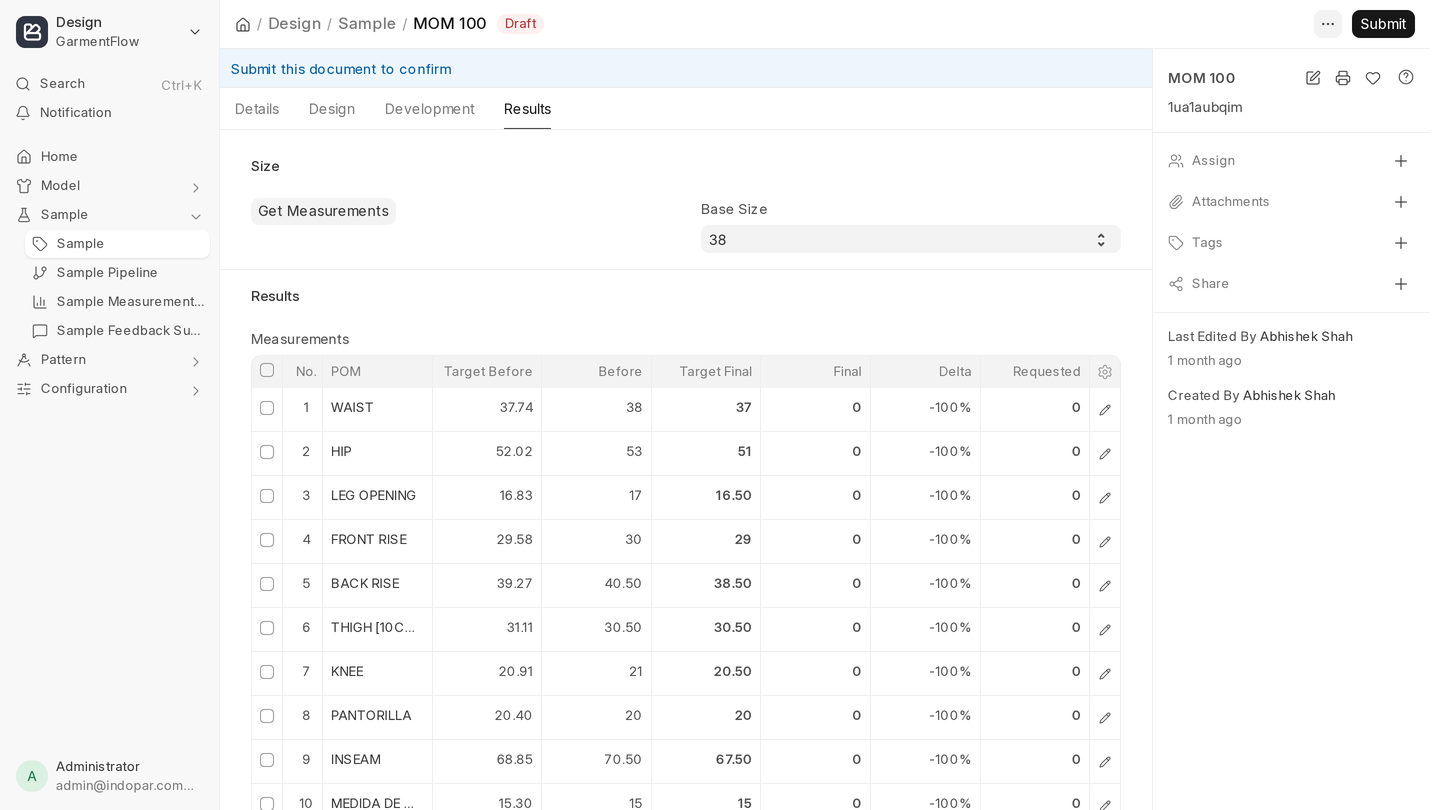
The Size section captures the actual measurements of the physical sample, point of measurement by point of measurement. Three things make it work without manual setup:
- The table is pre-filled from the Pattern's POM. When the Sample is created, every point of measurement defined on the linked Pattern appears as a row, with the target value already in place. You don't type the targets — you type the actuals.
- Before-wash targets are calculated automatically. For each point, GarmentFlow applies the fabric's Shrinkage on X and Shrinkage on Y (from the Fabric master, inherited via the Tech Pack) and shows you the pre-wash target alongside the finished one. The sample room can measure off the cutting table and after wash against numbers GarmentFlow already knows.
- Change the Base Size and everything updates. Base Size sits on the Sample's Design tab. Change it from M to L and every target row recalculates — finished and pre-wash, across every POM — so a sample re-graded mid-flight doesn't need any manual rework.
Most sample rooms measure to the millimetre, with a tape and a fresh-eyes second pass. Enter the numbers as you measure; don't batch them at the end of the week.
Once actuals are in, GarmentFlow compares them against the Pattern's tolerance and growth. Points that fall outside tolerance show up on the Sample Measurement Deviations report — one of the most useful tools you have for spotting whether a pattern is drifting from spec across multiple samples. If every sample for a brand is +0.5 cm (0.2") on the chest, the pattern needs a real correction, not a sample-by-sample fix.
Voice-driven measuring on the Design App
If you measure on the floor with the Design App open, you can call out the POM and the reading aloud — "chest, fifty-two zero" — and the app fills the row hands-free. Pre-wash and post-wash captured in the same flow, no clipboard, no double entry later.
Results — what the reviewer said
The Results section is where the feedback lives. Whoever reviewed the sample — the internal sample lead, the design lead, the commercial team, the brand contact, the customer — records what they thought, where the issues are, and whether the sample is Approved or Rejected.
Every round of feedback lands in the same place, time-stamped and attributed. No chasing email threads or WhatsApp groups; the Sample carries its own history.
If a reviewer is on the Design App, they can attach photos of the issue alongside the note — fit problems, stitching defects, color mismatches — so the next reader sees the visual evidence next to the words.
Feedback can be free text, but the more structured you make it, the more useful the Sample Feedback Summary report becomes. "Hood is too small" is fine; "Hood depth +2 cm (0.8"), drawstring 0.4 cm (0.2") too thin" is better, because it directly turns into a pattern change and a trim spec correction.
Applying changes
On the Sample header there's an Apply Changes checkbox. Tick it when feedback identifies a real change to make — and combined with marking the sample Approved or Rejected, that's the signal GarmentFlow uses to act on the feedback:
- Pattern-related feedback (measurement deltas, fit issues, seam placement) rolls up into a single Pattern Modification Request against the linked Pattern. The pattern team gets a structured list, not a long thread.
- Trim, fabric, or service feedback should be applied back to the Tech Pack's Logistics tab once, on the master. Every future sample and every future production batch inherits the change.
The trap to avoid: a sample that's been "fixed" by overriding values on the Sample document but not on the Pattern or Tech Pack. Production won't see the override. The fix has to live on the master.
A working example
You receive a sample back from the brand. Two issues:
- [ ] Sleeve length is +1 cm (0.4") across all sizes.
- [ ] The brand wants the hood drawstring upgraded from a thinner cord to a flat tape.
You enter the measured values on the Size section — the targets are already there from the Pattern, and the before-wash column is filled in from the fabric's shrinkage. The +1 cm (0.4") sleeve falls outside tolerance and appears on the Deviations report. On the Results section you record both pieces of feedback, mark Apply Changes, and set the status to Rejected.
GarmentFlow raises a Pattern Modification Request with the sleeve-length change already noted. You also update the Tech Pack's Raw Materials to swap the drawstring trim. A new Sample comes from the Tech Pack, this time with the corrected pattern and the right trim. Measurements come in to spec, the trim matches what the brand asked for. Approved.
That's the loop. The Sample surfaces the problem; the Pattern and the Tech Pack carry the fix forward.